| General | Hosted Sites | Civ5 | CivRev | Civ4Col | Civ4 | Civ3 | Civ2 | Civ1 | Misc | Marketplace |
![]() |
|
|
Welcome to Civilization Fanatics' Center. You are currently viewing our site as a guest which gives you limited access to our site features. By joining our free community, you will be able to participate in the discussions, search the forum, send private messages, vote in polls, upload your own screenshots to the gallery, and access many other special features. Registration is fast, simple and absolutely free, so sign up today! If you have any problems with the registration process or your account login, please contact support. |
|
|||||||
![]() |
|
|
Thread Tools |
|
|
#1 |
|
Chieftain
Join Date: Feb 2003
Posts: 9
|
Random crashes on laptop (clevo m860tu) under different OS
My game randomly crashes. Usually it takes at leat untill around an hour before it crashes but it can be half an hour later or sooner. I have no certain way to reproduce the bug. When i reload a save and continue it usually wont crash immediately again, but sometimes it does. I see no pattern. I don't have any movies showing, but it doesn't crash because of those either, if i put them on. Ive tried multiple graphic settings. It doesnt crash on particular situations (like leader screens, specific production finished, diplomatic events). I play bts build 3.17 . The crash is straight to a black screen. Sound stutters. Only way to get out is hitting reset. If the game crashes to times in short order it resets all configuration in civ4
I first figured it was because of drivers or any other settings. I have a brand new laptop i play the game on. http://www.notebookcheck.net/Review-...k.11679.0.html (i dont have the deviltech, but its the same model, clevo m860tu). After updating every driver to the newest version available, including trying out modified nvidia laptop drivers civ4 still crashed. Other games were not. Other games including crysis, wc3, wow, nwn2 ran fine. The only other game i had trouble with was warhammer, but that game was just buggy at release. As bitdefender doesnt work well under vista64 bit i figured I would go back to xp. Didnt hurt my performance with the games I usually play anyway and I would rather be safe with bitdefender then sorry. On top of that, i figure maybe civ4 doesnt work well with 64bit os. But civ4 also crashes in XP. Again ive updated everything to the newest version. I posted a savegame of the most recent game that crashed. But it wont crash at the same point again for me. I tried searching for any thread similar to this. But most crashes are to desktop, or because of particular events. Civ4 has been installed for over 3 years now I believe and one of the few games I have ever liked playing this long. Hope you guys can help me. |
|
|
|
|
|
#2 |
|
Repair Guy
![]() ![]() Join Date: Dec 2005
Location: Baden-Württemberg, Germany
Posts: 13,182
|
please post your dxdiag results file.
also: look in the windows event manager for any error messages relating to the game
|
|
|
|
|
|
#3 |
|
Chieftain
Join Date: Feb 2003
Posts: 9
|
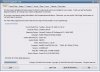
Some screens of my dxdiag report. Guess that 32bit XP limits my memory to only 2.5gig
. It also says my graphic driver is unsigned. Its correct. Nvidia is late iwth updating its laptop drivers. I use these http://www.laptopvideo2go.com/forum/...howtopic=21882 . Ive tried multiple of these and this one seems to run stable. I also used them for vista 64bit (might be other version, but same site).Wheres the event manager? Nvmd found it. Searching for relevant info there. Last edited by casper2003; Jan 20, 2009 at 01:52 PM. |
|
|
|
|
|
#4 |
|
Repair Guy
![]() ![]() Join Date: Dec 2005
Location: Baden-Württemberg, Germany
Posts: 13,182
|
no the OS actually allows for up to 4GB of RAM - however in your case the graphics card uses 512 MB since it does not come with its own memory (actually it probably has 32MB or 64MB itself and gets the rest from the RAM).
This is not likely to be the cause of the problem though. the Event manager: http://support.microsoft.com/kb/308427 |
|
|
|
|
|
#5 |
|
Chieftain
Join Date: Feb 2003
Posts: 9
|
Thx for quick reply. My gpu has 512
. its a 9600m GT. Got the event manager screens made. I think it crashed just before 9:00 about a minute after the savegame. As my pc logs on again (think thats that bonjour event?) at 9:03. edit: uploaded event log of the day before :P, corrected it. Last edited by casper2003; Jan 20, 2009 at 02:03 PM. |
|
|
|
|
|
#6 |
|
Repair Guy
![]() ![]() Join Date: Dec 2005
Location: Baden-Württemberg, Germany
Posts: 13,182
|
something else eats memory then before windows sees it (or you have highly unusual 2.5 GB of RAM installed).
None of these logs seems to have anything to do with the game ![]() That makes tracking the problem down much more difficult of course ![]() Please open your civilizationIV.ini and set all items with log in their name from 0 to 1 then when the crash occurs next time stop the game anyway you can and post all contents of \my games\beyond the sword\logs as a zip file attachment please
|
|
|
|
|
|
#7 |
|
Chieftain
Join Date: Feb 2003
Posts: 9
|
Ill try. But theres no way to stop civ4 when it crashes. I get a black screen of death and stutter noises. Anyway gonna change the ini file and play a game
. I got 4gb installed. Must be something with 32bits not able to correctly report it. With vista64bit I do have 4gig. I dont really mind atm though. Not much that needs the 4gig yet and before that happens bitdefender will finally be able to work flawlessy in 64bit too hopefully .Think i changed the settings correctly. Last edited by casper2003; Jan 20, 2009 at 02:30 PM. |
|
|
|
|
|
#8 |
|
Repair Guy
![]() ![]() Join Date: Dec 2005
Location: Baden-Württemberg, Germany
Posts: 13,182
|
the logs are continuously written so even a hard restart will not kill them. The only thing that does is if you start the game again (it deletes the logs on starting the game)...
|
|
|
|
|
|
#9 |
|
Chieftain
Join Date: Feb 2003
Posts: 9
|
Ok ive played the game further and it crashed after about one hour, bit longer this time. Here's the zip from my log. The crash occured at approximately 11:40 pm CET.
I have no idea how to read the log though. Seems only network-2056, pythondbg and mplog have been updated all the way to the end. I think the crash occurs when i press end turn. Thank you for all the support youve given me already. Maybe this is fixable after all. I had already given up hope
Last edited by casper2003; Jan 20, 2009 at 03:56 PM. |
|
|
|
|
|
#10 |
|
Repair Guy
![]() ![]() Join Date: Dec 2005
Location: Baden-Württemberg, Germany
Posts: 13,182
|
![]() this is weird: these logs contain nothing of concern either - now there are two potential sources of such freezes that are common: - lacking memory - graphics problem does this happen on smaller maps as well? did you try reducing the graphics quality? there is always the odd chance that it is an overheating graphics card: try opening the computer (it is a pc not a laptop, right?) and see if you can de-dust the interior. Also: the only errors in these logs (i doubt they are responsible for this) are from your sound card which does not play some of the sounds. Try disabling the sound driver in your systems settings - and see if that helps. To be honest all of these are stabs in the dark though
|
|
|
|
|
|
#11 |
|
Chieftain
Join Date: Feb 2003
Posts: 9
|
It's a laptop. It does get hotter with Civ4 then with any other game. But it seems to me, that can hardly be my laptops fault, as it runs crysis, fallout 3 and such games fine. I had noticed this earlier already and ran a program which measures temperature of core systems which never went above 75 celsius or so. I think my laptop is by all accounts a powerhouse, especially compared to the requirements civ4 needs with just about everything inside better then the best pcs that were available when civ4 came out.
I can try small maps, though standard map size isnt really that big either way. I tried setting every setting to lowest possible and it still crashed, that was a few days go when i still ran vista64. I turn off music in the options screen of civ4, not that fond of the themes. Maybe that causes those audio errors? I installed the newest realtec audio drivers. As it is a laptop, im not really to psyched about opening the back. I do know this type (clevo m860tu) has a known tendency to get hot, altough I havent heard any reports about actual overheating. Furthermore I already use a coolermaster thingy that you put under your laptop so the fans under the laptop have some extra cooling support (also to be able to have the laptop on my lap without my legs getting uncomfortably warm) At the moment I am not going to play another game though. Its too late and I got stuff to do tomorrow. Last edited by casper2003; Jan 20, 2009 at 04:33 PM. |
|
|
|
|
|
#12 |
|
Repair Guy
![]() ![]() Join Date: Dec 2005
Location: Baden-Württemberg, Germany
Posts: 13,182
|
if it is a laptop forget about opening it
it was just one stab in the dark. Civ4 is known to strain graphics cards more than other games that are more graphics intensive. I blame it on this being the firs "3d" game in the series ![]() I am out of ideas though maybe someone else has some more
|
|
|
|
|
|
#13 |
|
Chieftain
Join Date: Feb 2003
Posts: 9
|
I'll put it on lousy coding then
. Too bad I cant play my favo game for the moment then, well except for one hour sessions.
|
|
|
|
![]() |
| Bookmarks |
|
| Thread Tools | |
|
|
Similar Threads
|
||||
| Thread | Thread Starter | Forum | Replies | Last Post |
| Laptop Switching Off at Seemingly Random Intervals | Wolfe Tone | Computer Talk | 9 | May 03, 2007 05:08 AM |
| Random Crashes | ExileBlue | Civ4 - Technical Support | 4 | Jan 15, 2006 03:28 AM |
| OS X Crashes | Sid | Civ3 - Macintosh | 22 | Jul 07, 2003 09:38 PM |
| Help! OS 9.2 Slow and Crashes | heyfrito500 | Civ3 - Macintosh | 11 | Jul 03, 2003 10:47 AM |
| Random Crashes | Ripley1 | Civ3 - Technical Support | 0 | Dec 27, 2001 06:16 PM |